Features
A complete reporting workflow, from site visit to finished report.
Tenera handles everything between the site visit and the delivered report — built for how field teams actually work.
Get back the finished document, ready to send to the client.
Send what you captured on site and get back a complete, structured 20–30 page report — written, organized, and formatted to your template. It arrives as the finished document, ready to send to the client, in minutes.
Bridge Counterweight Membrane Condition Assessment
Executive Summary
Scope & Methodology
Findings
Recommendations
Appendix · Photographs · Site footage…
Record a video and talk as you go.
Tenera turns it into report content.
Tenera watches the footage, pulls the frames that matter, and turns what you said into written observations — all placed in the right section of the report. A two-minute video captures a full page of notes.
Send it however's easiest. We'll organize it.
Photos, video, voice notes, and text — from your phone in the field or your desktop after. Send it however's easiest and Tenera collects and organizes it for you. It works with the tools you already use, including WhatsApp, and teammates or subs without an account can add files through a share link.
Phone or desktop
Capture on your phone mid-site, or upload from your desktop afterward — it all lands in the same report.
Including WhatsApp
Send files straight from WhatsApp when that's convenient — one of several easy ways to get media to Tenera.
A link anyone can upload to
Send a share link to a colleague, sub, or client — no account needed. They add photos and files straight into the report, so nothing has to reach you outside the system. There's no easier way to collect from a team.
8 photos
Phone · in the field
site_walkthrough.mp4
Phone · WhatsApp
Voice note · 0:23
Phone · in the field
Site notes.txt
Desktop · upload
3 photos from sub
Share link · no account
Fill the gaps with a few quick answers.
Tenera asks the specific questions your report type needs — What was the moisture reading? Repaired or flagged? — and drops your answers into the right sections. It writes only from what you tell it: when a detail is missing, it asks instead of guessing, so the report never invents findings.
- Grounded in your evidence — it never makes things up
- Targeted questions for your exact report type
- Answers land in the right sections automatically
- Reply by voice or text — hands-free on the go
- Clear prompts guide you through exactly what to add
Tenera interview
Filling gaps in your draft
What was the moisture reading at the north membrane face?
“Around 18 percent — above the threshold.”
Got it. Was this area repaired on site, or flagged for follow-up?
Flagged for follow-up
Added to Findings and Recommendations. ✅
Reports that look like yours — every time.
Upload a Word doc and Tenera learns your structure, or describe your format in plain language. Your branding, section order, and standards on every report.
- Learn from a Word doc — Upload an existing report and Tenera picks up your structure and styling
- Or just describe it — Explain your format in plain language — no template file required
- Consistent every time — Same branding, section order, and standards across your whole team
Same structure, section order, and styling — applied automatically.
A real document editor, built for collaboration.
A real document editor with real-time collaboration — refine together, embed media, export to Word or PDF, or share a live web view.
- Real-time collaboration — Refine the report together, with changes appearing live
- Embed media — Drop photos and video clips directly into the document
- Export or share — Deliver as Word, PDF, or a live web view — your choice
- AI document assistant — Ask the built-in AI to rewrite, summarise, or fix a section in place
Bridge Counterweight Membrane Condition Assessment
Summary
A visual review identified moderate delamination across the northern membrane face, consistent with prolonged UV exposure and…
Findings
Moisture reading of 18% recorded at the north face — above threshold; area flagged for follow-up…
AI Document Assistant
Ask anything or request edits
Mark up photos so findings are unmistakable.
Draw arrows, boxes, and callouts and drop text labels right onto your photos — point to the crack, circle the spot, note the measurement. Annotations are saved with the image and carried straight into the final report, so the client sees exactly what you saw.
- Arrows, boxes & freehand — Point to the exact defect with the shape that fits
- Text callouts — Label measurements and spots right on the image
- Straight into the report — Marked-up photos flow into the finished document automatically
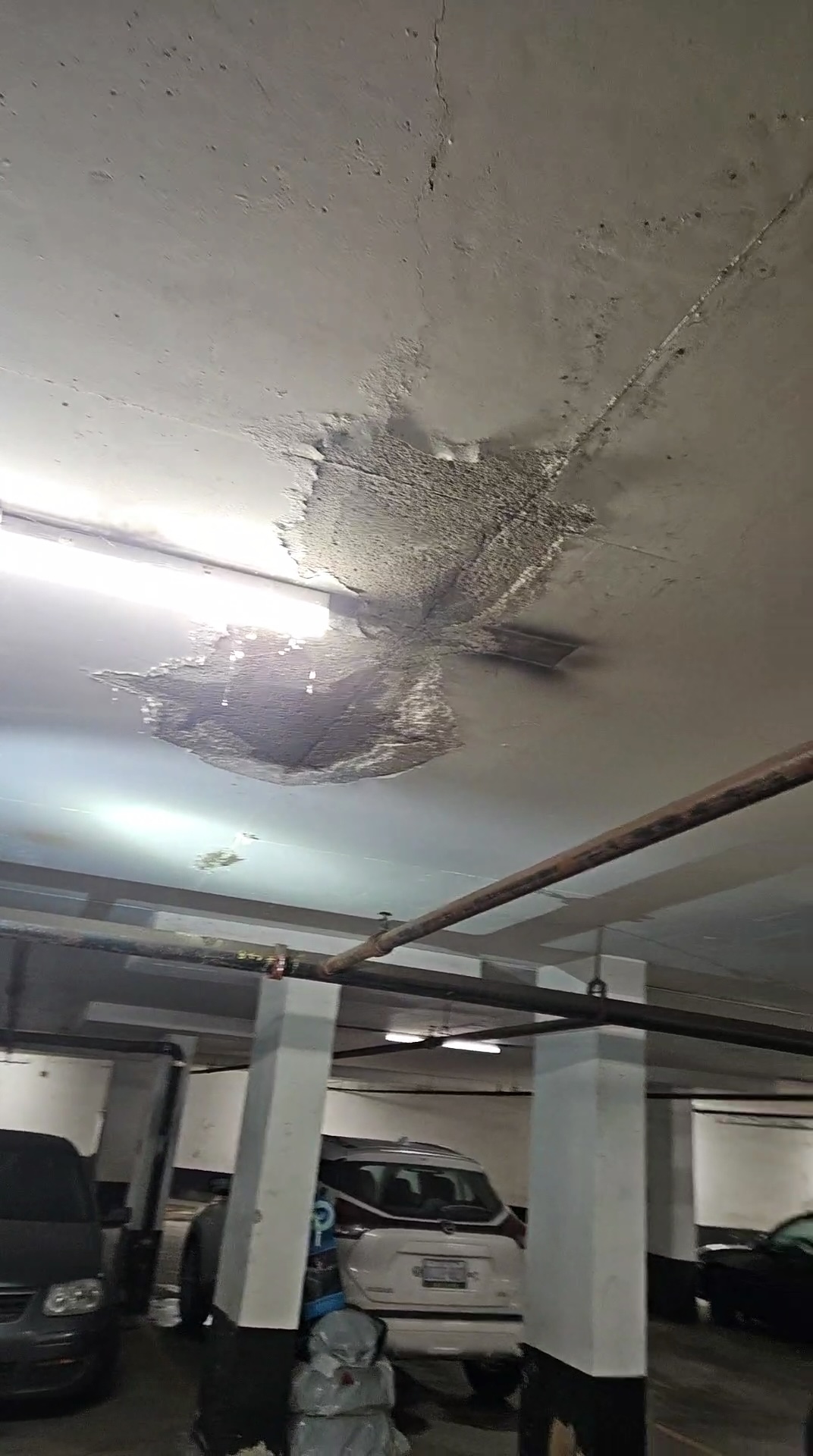 Above Spot P102 Ft Long Crack
Feature deep-dive
The whole report, written
Send what you captured on site and get back a complete, structured 20–30 page report — the finished document, ready to send to the client.
Capture anything, anywhere
Photos, video, voice notes, and text — from your phone in the field or your desktop after. Works with the tools you already use, including WhatsApp.
AI interview fills the gaps
Tenera asks the specific questions your report type needs and drops your answers into the right sections. Answer by voice or text, hands-free.
Your template, your format
Upload a Word doc and Tenera learns your structure, or describe your format in plain language. Your branding and section order on every report.
AI document assistant
An AI that already knows your document. Ask it to rewrite a section, fix the tone, summarise findings, or answer questions — all without leaving the editor.
A link anyone can upload to
Send a share link to a colleague, sub, or client — no account needed. They drop photos and files straight into the report, so nothing has to reach you outside the system.
Annotate photos in place
Draw arrows, boxes, and callouts and drop text labels right onto your photos — mark up cracks, spots, and defects so findings are unmistakable in the final report.
Version history
Every edit is tracked. See who changed what and when — and roll back to any previous version in one click.
How Tenera Reports compares
| Feature | Tenera Reports | Raw ChatGPT | Word + Template |
|---|---|---|---|
| Writes the whole report for you | Partial | ||
| Structured report output | |||
| Template-consistent formatting | |||
| Video ingestion, transcription & keyframe extraction | |||
| Video embedded in final report | |||
| Guided AI interview | |||
| Capture from phone or desktop (incl. WhatsApp & share links) | |||
| Upload via share link — no account needed | |||
| Annotate photos with arrows, callouts & notes | |||
| Real-time collaborative editing | Partial | ||
| Built-in AI document assistant | Partial | ||
| Organised report library | |||
| Document version history | Partial |
Ready to get out of the office and back to the field?
Start a report in minutes, or see it on a quick call — whichever you prefer.